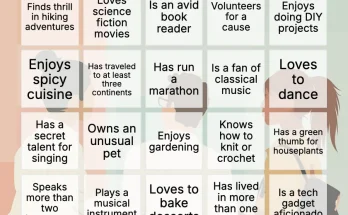
Let’s be real for a second—getting a room full of students to actually care about vocabulary words or historical dates can feel like pulling teeth. But what if I told you there’s a way to sneak in learning that feels more like recess? Enter custom bingo card design for educators. It’s not your grandma’s bingo (well, maybe it is, but with a twist). You can literally turn any lesson into a game. And honestly? It works.
Why Bingo? (And Why Customize It?)
Bingo is a classic for a reason—it’s simple, it’s social, and it taps into that primal urge to yell “BINGO!” at the top of your lungs. But here’s the thing: generic bingo cards are, well, boring. They don’t align with your curriculum. They don’t target your specific learning objectives. Custom bingo card design for educators flips that script. You control the content, the layout, and the difficulty. It’s like having a Swiss Army knife for engagement.
I’ve seen teachers use it for everything from math facts to Shakespearean insults. Seriously. One teacher I know made a “Periodic Table Bingo” where kids had to match element symbols to their names. The kids were practically begging for more rounds. That’s the power of a little customization.
The Pain Points It Solves
- Low engagement: Students tune out during lectures. Bingo forces them to listen and scan.
- Mixed ability levels: You can create different card sets for different groups—without anyone feeling left out.
- Review fatigue: Same old flashcards? Yawn. Bingo feels fresh, even for the 10th time.
- Time constraints: A 15-minute bingo game can review a week’s worth of material. Efficient, right?
How to Design Custom Bingo Cards (Without Losing Your Mind)
Okay, so you’re sold on the idea. But how do you actually make these things? You don’t need to be a graphic designer or a tech wizard. There are a few routes, and I’ll walk you through them—from low-tech to high-tech.
Method 1: The Old-School Grid and Markers
Grab a ruler, some paper, and a marker. Draw a 5×5 grid. Fill in the squares with your terms. Photocopy it 30 times. Done. But here’s the catch—every student gets the same card. That means you’ll have multiple winners at once, and it’s less of a challenge. Still, it works in a pinch. I’ve done this with kindergarteners and it was chaos, but the good kind.
Method 2: Digital Templates (The Sweet Spot)
This is where custom bingo card design for educators really shines. Use a tool like Canva, Google Sheets, or a dedicated bingo card generator. You input your list of words or images, and the software shuffles them into unique cards. Boom—instant differentiation. I personally love the ones that let you add images, like for foreign language classes. A picture of a cat for “el gato”? Yes, please.
Here’s a quick table comparing popular tools:
| Tool | Best For | Cost | Unique Feature |
|---|---|---|---|
| Canva | Visual design, images | Free (with paid options) | Drag-and-drop templates |
| Bingo Baker | Quick, printable cards | Free for basic | Auto-generates 30+ unique cards |
| Google Sheets (with script) | Customization + data | Free | Integrates with your lesson plans |
| Flippity | Online play | Free | No printing needed |
Method 3: Full-Blown Custom Design (For the Perfectionists)
If you’re feeling fancy—or if you’re making a set for a whole department—you can design from scratch in Adobe Illustrator or Affinity. This gives you total control over fonts, colors, and even the shape of the card (hexagonal bingo? sure, why not). But honestly, most educators don’t need this. Save it for special events like Family Math Night.
Pro Tips for Killer Bingo Cards
Alright, let’s get into the nitty-gritty. You’ve got your tool, you’ve got your content. Now how do you make it sing?
- Use a free space wisely. The center square is traditionally free. But instead of just leaving it blank, put something fun there—like a class mascot or a “wild card” that lets students swap a square.
- Mix up the difficulty. Put easy terms in the corners and harder ones in the middle. That way, early wins build confidence, but the real challenge comes later.
- Add visuals. For younger students or ELL learners, images are gold. A picture of a volcano for “eruption” is way more memorable than the word alone.
- Color-code by subject. Blue for science, green for history, red for vocabulary. It helps students mentally categorize as they play.
- Test your own card. Before you print 30 copies, play a round yourself. You’ll spot typos or confusing terms fast. Trust me on this one—I once had “Napoleon” and “Neapolitan” on the same card. Chaos.
Real-World Examples (Because Theory Is Boring)
Let me paint you a picture. Ms. Rodriguez, a 4th-grade teacher, was stuck. Her students couldn’t remember the difference between “their,” “there,” and “they’re.” So she made a bingo game. Each square had a sentence with a blank, and she’d call out the correct word. The kids had to find the sentence and mark it. After three rounds, the errors dropped by half. That’s not magic—that’s design.
Or take Mr. Chen, a high school biology teacher. He used custom bingo card design for educators to review cell organelles. He printed cards with images of mitochondria, ribosomes, etc. During the game, he’d describe the function (“This one is the powerhouse of the cell”), and students had to mark the correct image. The class average on the next quiz jumped 12 points. Coincidence? I don’t think so.
Common Mistakes (And How to Dodge Them)
Look, we all mess up. But here are a few pitfalls you can avoid:
- Too many terms: A 5×5 grid has 24 squares (plus the free space). Don’t cram 50 terms into a single game. It overwhelms students. Stick to 24–30 max.
- Identical cards: If every card is the same, you’ll have 5 winners in 2 minutes. Use a generator that shuffles. It makes the game last longer and builds suspense.
- Ignoring the “caller” role: You can’t just hand out cards and hope for the best. You need to call out terms clearly, maybe with a definition or clue. That’s where the learning happens.
- Forgetting to laminate: If you’re using paper cards, they’ll get crumpled and stained. Laminate them, or use dry-erase sleeves. You’ll thank me later.
Bringing It All Together: A Simple Workflow
Here’s a step-by-step that I use. It’s not rigid, but it works:
- Pick your topic. One concept per game. Don’t mix fractions and Civil War in the same round.
- List 24–30 terms. Write them down. Say them out loud. Make sure they’re varied in difficulty.
- Choose your tool. I usually go with Bingo Baker for speed, but Canva if I want visuals.
- Generate and print. Make sure you have at least 30 unique cards. Check for errors.
- Prepare the calling list. Write clues or definitions. Not just the word itself—make them think.
- Play a test round. With a colleague or your own family. It’s fun and catches issues.
- Go live in class. Set a timer. Keep the energy high. Let students be the caller sometimes.
The Future of Bingo in Education
Honestly, I think we’re just scratching the surface. With digital tools, you can now create self-checking bingo games for remote learning. Imagine a student playing bingo on their Chromebook, with instant feedback. Some platforms even let you track which terms students struggle with most. That’s data you can use to adjust your teaching. It’s like having a secret window into their brains.
But even with all the tech, the core remains the same—a simple game that brings people together. Custom bingo card design for educators isn’t about flashy graphics. It’s about connection. It’s about that moment when a student’s eyes light up because they finally got it. And then they yell “BINGO!” and the whole class cheers.
So go ahead. Open a template. Type in your terms. Print a few cards. See what happens. You might just surprise yourself—and your students.
[Meta title: Custom Bingo Card Design for Educators: Make Learning Fun | Meta Description: Learn how to design custom bingo cards for your classroom.